
Aadhaar Card Download Online – Download e-Aadhaar PDF
Aadhaar Card Download Online : Download e-Aadhaar PDF with UIDAI Using Aadhaar Number, VID or Enrolment ID
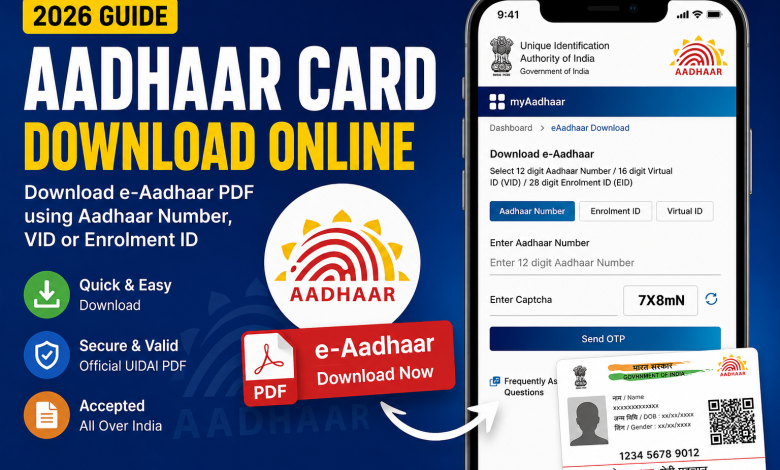
Download your Aadhaar Card online from UIDAI using Aadhaar Number, VID or Enrolment ID. Step-by-step guide to download e-Aadhaar PDF.

Aadhaar Card Download Online: Complete Step-by-Step Guide
Aadhaar Card is one of the most important identity documents in India. Issued by the Unique Identification Authority of India (UIDAI), Aadhaar is widely used for banking, government schemes, PAN linking, passport verification, mobile SIM verification, and many other services.
If you have lost your Aadhaar card or simply want a digital copy, you can easily download your e-Aadhaar PDF online from the official UIDAI website within a few minutes.
What is e-Aadhaar?
e-Aadhaar is the digital version of your physical Aadhaar card. It is digitally signed by UIDAI and is legally valid across India.
Documents Required
You need any one of the following:
- Aadhaar Number (12 Digits)
- Virtual ID (VID)
- Enrolment ID (EID)
- Mobile Number linked with Aadhaar
How to Download Aadhaar Card Online
Step 1
Visit the official UIDAI website.
Official Website:
https://uidai.gov.in/
Step 2
Click on My Aadhaar → Download Aadhaar
Or directly visit
Download Link
https://myaadhaar.uidai.gov.in/genricDownloadAadhaar
Step 3
Select one of these options
- Aadhaar Number
- Enrolment ID
- Virtual ID
Step 4
Enter
- Aadhaar Number
- Captcha Code
Click Send OTP
Step 5
Enter the OTP received on your registered mobile number.
Step 6
Click Verify & Download
Your e-Aadhaar PDF will be downloaded.
How to Open Aadhaar PDF Password
The downloaded PDF is password protected.
Password Format
First 4 letters of your Name (CAPITAL) + Birth Year
Example
Name: Rahul Kumar
Birth Year: 1998
Password
RAHU1998
Benefits of e-Aadhaar
- Digitally Signed
- Valid Identity Proof
- Accepted Everywhere
- Easy to Download
- Free Service
- Secure PDF
Can I Download Aadhaar Without Mobile Number?
No.
For security reasons, UIDAI sends OTP only to the registered mobile number.
If your mobile number is not linked, first update it at the nearest Aadhaar Seva Kendra.
Is e-Aadhaar Valid?
Yes.
According to UIDAI, e-Aadhaar is equally valid as the physical Aadhaar card.
Frequently Asked Questions (FAQs)
Is Aadhaar download free?
Yes. UIDAI provides free Aadhaar download services.
Can I download Aadhaar using VID?
Yes.
Can I download Aadhaar using Enrolment ID?
Yes.
How many times can I download Aadhaar?
There is no limit.
Is Aadhaar PDF secure?
Yes. It is password protected and digitally signed.
Conclusion
Downloading your Aadhaar Card online is quick, secure, and completely free through the official UIDAI portal. Whether you use your Aadhaar Number, Virtual ID (VID), or Enrolment ID (EID), you can access your digitally signed e-Aadhaar PDF anytime. Always download Aadhaar only from the official UIDAI website to keep your personal information safe.
Official Links
- UIDAI Official Website: https://uidai.gov.in/
- Download e-Aadhaar: https://myaadhaar.uidai.gov.in/genricDownloadAadhaar
- My Aadhaar Portal: https://myaadhaar.uidai.gov.in