
Passport Apply Online – Complete Indian Passport Application Guide
Apply for an Indian Passport online through the official Passport Seva Portal. Get complete details on eligibility, required documents, fees, appointment booking, police verification, and passport tracking in one guide.
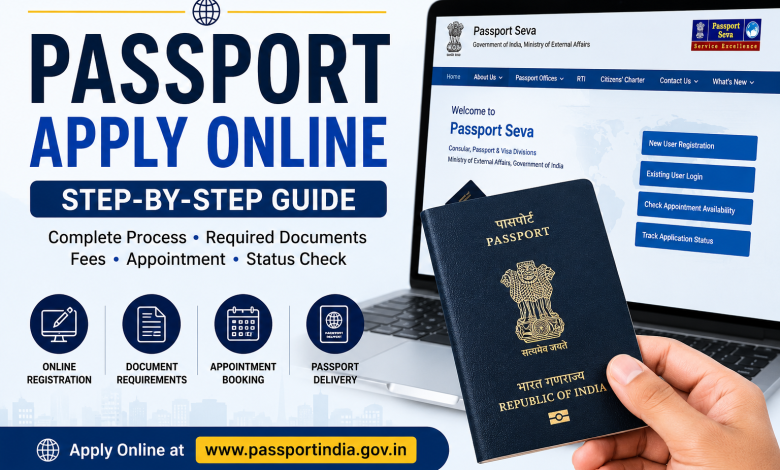
Apply for an Indian Passport online with this complete guide. Learn registration, required documents, fees, appointment booking, police verification, passport tracking, and official links.

Passport Apply Online: Complete Step-by-Step Guide
Applying for an Indian Passport has become easier with the Passport Seva Portal launched by the Ministry of External Affairs (MEA). You can register online, fill out the application, pay the required fee, book an appointment at a Passport Seva Kendra (PSK) or Post Office Passport Seva Kendra (POPSK), and track your application status—all through the official portal.
Who Can Apply?
- Fresh Passport
- Passport Renewal
- Passport Reissue
- Minor Passport
- Tatkal Passport
- Lost or Damaged Passport Replacement
Documents Required
Prepare the following documents before applying:
Identity Proof
- Aadhaar Card
- PAN Card
- Voter ID
- Driving Licence
Address Proof
- Aadhaar Card
- Electricity Bill
- Bank Passbook
- Rent Agreement
Date of Birth Proof
- Birth Certificate
- Class 10 Certificate
- Other accepted documents as per Passport Seva guidelines
How to Apply for Passport Online
Step 1
Visit the official Passport Seva Portal.
Official Portal: Passport Seva Portal
Step 2
Click Register and create a new account.
Step 3
Log in using your registered credentials.
Step 4
Select Apply for Fresh Passport / Re-issue of Passport.
Step 5
Fill in the application form carefully with:
- Personal Details
- Family Details
- Address
- Emergency Contact
- Previous Passport (if applicable)
Step 6
Submit the application. An Application Reference Number (ARN) will be generated.
Step 7
Pay the applicable passport fee online.
Step 8
Book an appointment at your preferred Passport Seva Kendra (PSK) or POPSK.
Step 9
Visit the selected center with your original documents for biometric capture and document verification.
Step 10
Police verification will be completed where applicable before passport printing and dispatch.
Passport Status Check
Track your passport application using the official status tracker.
Status Tracker: Passport Status Tracker
Passport Fees
Passport fees vary depending on:
- Fresh or Reissue
- Normal or Tatkal
- Number of pages
Always check the latest fee schedule before making payment.
Tips Before Applying
- Enter accurate information.
- Carry all original documents.
- Arrive on time for your appointment.
- Keep your registered mobile number active.
- Review all details before final submission.
Frequently Asked Questions
Can I apply for a passport completely online?
You can complete the application online, but you must visit a Passport Seva Kendra or POPSK for document verification and biometrics.
Can I apply for a Tatkal Passport?
Yes, eligible applicants can apply under the Tatkal scheme.
How can I check my passport status?
Use the official Passport Status Tracker with your Application Reference Number (ARN).
Can I renew my passport online?
Yes. Passport renewal and reissue applications are available through the Passport Seva Portal.
Conclusion
The Passport Seva Portal has made the passport application process simple and transparent. Register online, complete the application form, pay the fee, schedule an appointment, complete verification, and track your passport status using the official portal. Always use only the official Passport Seva website for applications and payments.